
TL;DR: The Chunklink app puts any Bedrock server in the LAN games list of your Xbox, PlayStation or Switch. No DNS tricks, no account, no ads. Get it on the App Store or on Google Play.
The server address is in the group chat. On a phone or a PC it takes ten seconds to type in. On a console there is no place to type it.
That has been true for years, and the workarounds all ask something of you: change the DNS on the console, or sit through ads in a third-party app before you may join your own server. The last time I tried one of those apps it played me two minutes of ads first.
So here is the app I wanted to exist. Chunklink for iPhone and Android is free, has no account and no ads, and does one thing: it gives your console the address field Minecraft never gave it.
Free app for iPhone and Android
Your console, on any server
Your console can't type a server address. Your phone can. Chunklink puts any Bedrock server in the LAN games list of your Xbox, PlayStation or Switch.

Why the field is missing
Minecraft Bedrock on phones, tablets and Windows lets you save any server. On Xbox, PlayStation and Nintendo Switch the same game shows only Microsoft's featured servers and whatever is on your local network. There is no "Add server" button, and there never has been.
Your console could reach the server fine. It just has nowhere to put the address.
What the app does
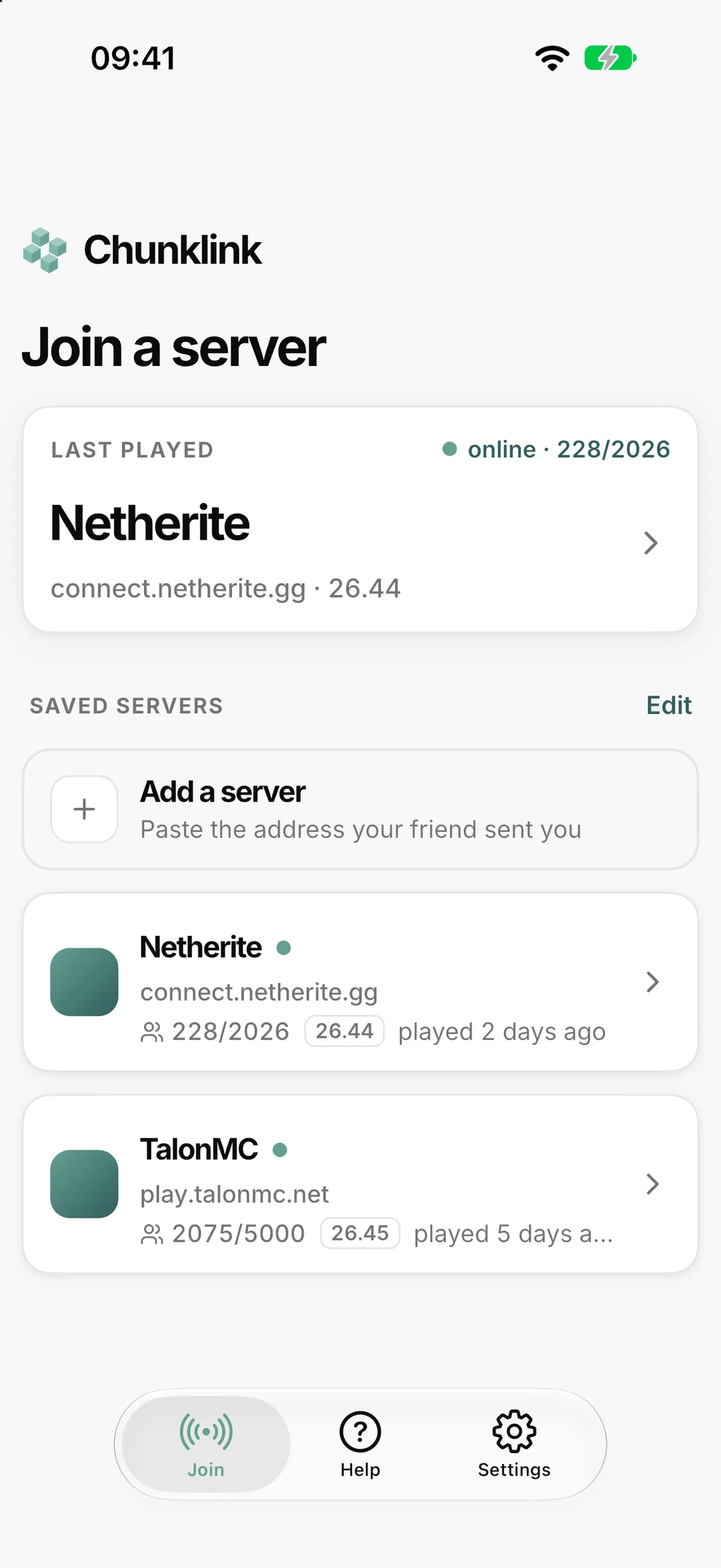
You type the address into your phone and press start. Your phone then announces the server on your Wi-Fi, so Minecraft on the console sees it under LAN Games, with its real name, as if someone in the next room were hosting it.
The whole thing:
- Phone and console on the same Wi-Fi. A hotspot from the phone works too.
- Paste the server address into the app and press start.
- On the console, open Minecraft, go to Play → Friends, and pick the entry under LAN Games.
Nothing to install on the console, nothing to change on it. The app works out the server's version and port by itself.
Then put the phone away
Most of the time the app only makes the introduction. When you open the entry on the console, it hands over the real server address, and the console connects to the server directly. You can close the app and pocket the phone.
If the server runs a Minecraft version that hand-off does not cover yet, the app falls back to passing the connection through your phone. The app and the screen then stay on while anyone plays, and a Nintendo Switch cannot join that way at all. You see which of the two you are getting before you press start, not after a failed join.
What you need
- A server that speaks Bedrock. A Bedrock Dedicated Server, a Java server with GeyserMC, or a Chunklink server. A Java-only server is not enough.
- The same Wi-Fi, or a hotspot from your phone. Guest, hotel and campus networks sometimes keep devices apart; the hotspot gets around that.
- Your console's online subscription, the one you already have for multiplayer: Game Pass Core, PlayStation Plus or Nintendo Switch Online.
- On the Switch, Online mode. "Local Wireless" leaves the normal Wi-Fi and cannot see the app.
The first time, your phone asks for Local Network access. That is the whole feature: consoles look for games on the local network, and your phone answers. It never asks for your location.
Free means free
No ads, no timer, no unlock, no account. Your saved servers stay on your phone.
I run Chunklink, so the name on the app is no coincidence. Every one of our servers speaks Java and Bedrock, and the console was the one device that still could not get in. Now it can. The app works just as well with any other Bedrock server, whoever runs it, and the LAN join stays free.
Try it tonight
Type the address, press start, join. That is all that should stand between a console and your friends' server.
The Chunklink app is free for iPhone and Android. Try it with your server, and if a console, a router or a server behaves differently than I expect, tell me on Discord. Real living rooms are what make this app better.